 DubDubDub Studio
AI writes it.
You're the one reading it.
Plans, specs, summaries, transcripts — it all lands as Markdown now, and reading it has quietly become most of the job. Fast Markdown Reader is built for those hours: it opens the moment you click, it's easy to look at, and it never bogs your Mac down — however many files you leave open.
Coming to the Mac App Store · Apple Silicon (arm64) only · macOS 13+ · free · MIT licensed
It's a text file.
Why is your fan on?
Because most Markdown apps are a web browser wearing a costume. That's the beat before the window opens, the memory that climbs the longer you leave it running, and yes — the fan, over some text. This one is a Mac app, plain and simple. Every number below was measured, not marketed.
| Opening | Instant. There's no loading screen, because there's nothing to load. |
| While you read | Uses no processor time at all. The fan stays off; your battery doesn't notice it's open. |
| Memory | ~127 MB with nine large documents open at once — and ~52 MB handed back the moment you close them. It doesn't creep up over the day. |
| Big files | A 4,000-paragraph document opens right away — it only draws the part you're looking at. |
| Diagrams | Flowcharts and sequence diagrams appear right in the page, even with no internet. Drawn once, instant every time after. |
| Images | Scroll past a picture and it quietly gives its memory back; scroll up and it's there. The page never jumps while you read. |
| Code | Colored the way your editor colors it, with a Copy button on every block. |
| Reading | Tabs, find (⌘F), bigger or smaller text (⌘+/⌘−), automatic dark mode. |
| Typos | Right-click the paragraph, fix it, done — it saves straight to your file. |
| Works on | Macs with Apple silicon (M1 and later), macOS 13 or later. |
| Price | Free — and the source is public, so every number here is something you can check yourself. |
What it looks like
Real screenshots. No mockups.
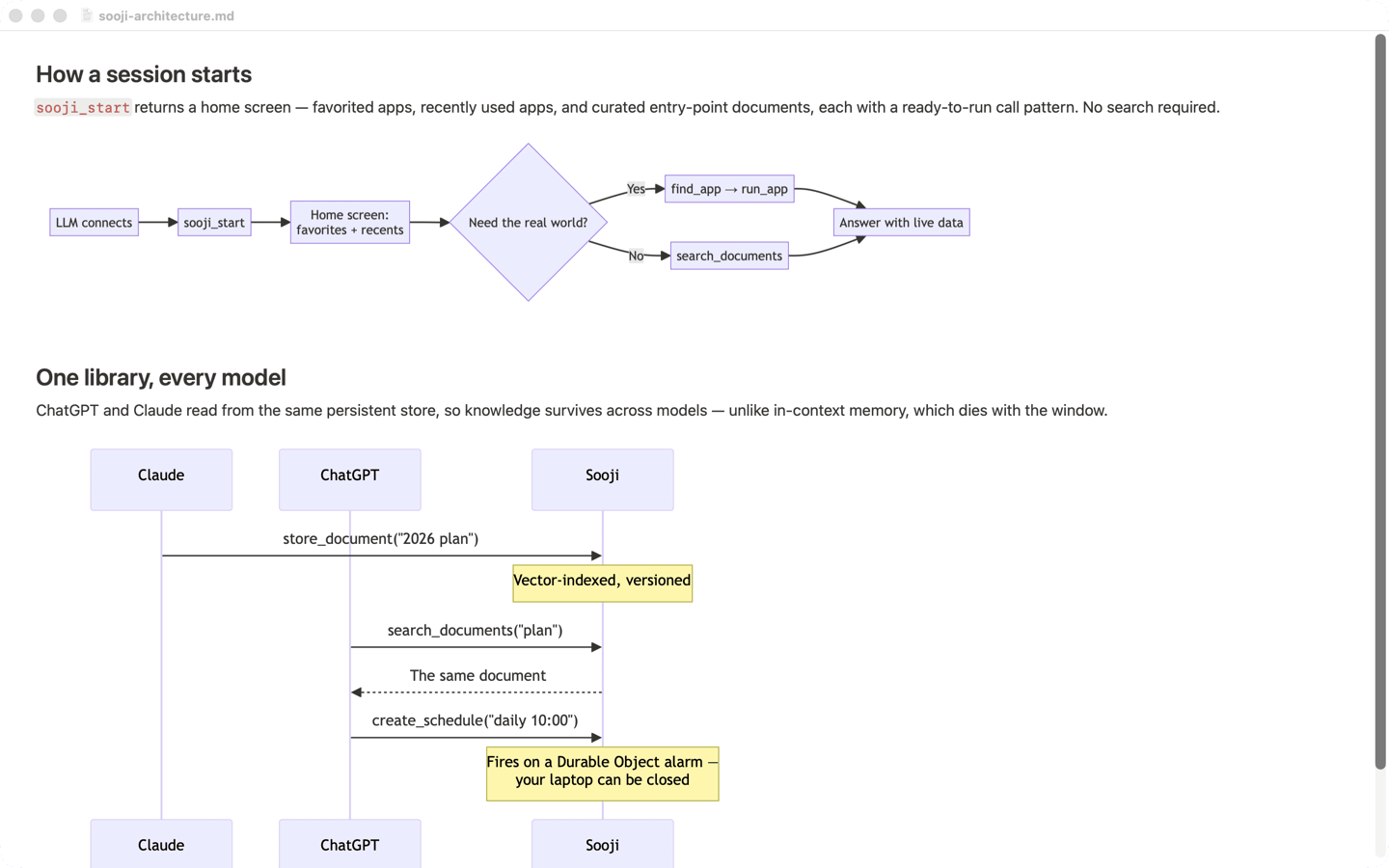
Diagrams show up, even offline
Flowcharts and sequence diagrams appear right where they belong — on a plane, on the subway, anywhere. Each one is drawn a single time, then it's instant forever, and it stays sharp however far you zoom in.

Pictures, without the weight
Images look sharp, but the ones you've scrolled past quietly hand their memory back. Your place on the page never shifts while you're reading.
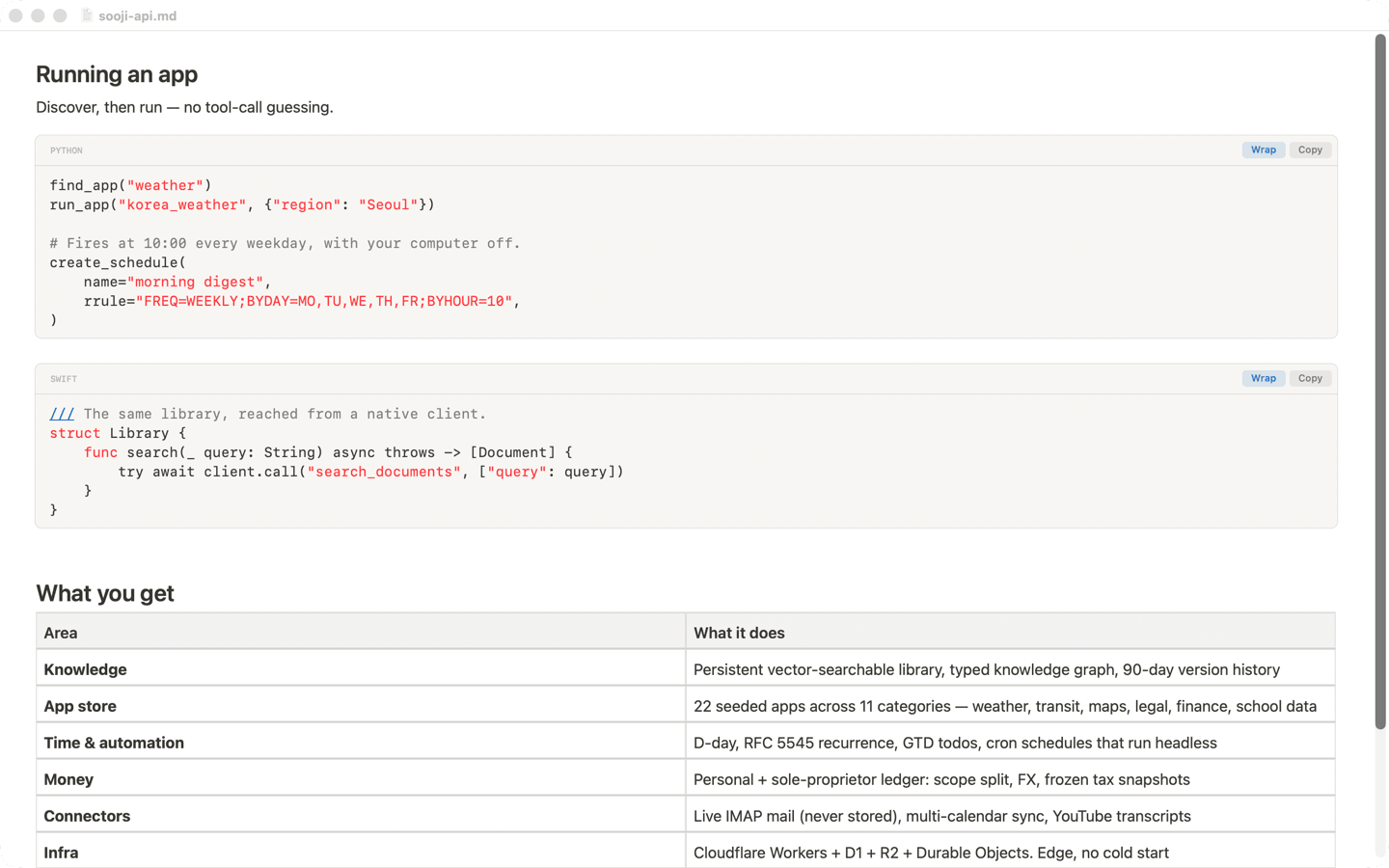
Code you can actually read
Code is colored the way your editor colors it, on its own card, with a Copy button on every block and a switch for long lines.
What's actually inside
Pure Swift, AppKit and TextKit — no Chromium, no Electron, no web runtime for the text. Diagrams are mermaid, bundled in the app and snapshotted once to a vector PDF cached by content hash. Off-screen media drop their pixels while keeping their exact layout size, so nothing reflows and the scroll bar never swings. Non-contiguous layout means only the viewport is ever laid out. MIT licensed — read the source and check any claim on this page.
Need help, or found a bug?
Fast Markdown Reader is built and supported by DubDubDub Corp.
Report an issue
Bugs, crashes, and feature requests go on GitHub Issues — the fastest way to reach us.
Open an issue →Coming to the Mac App Store
It'll be free there, one click to install. Until then the source is public — if you build Mac apps, it's a minute's work to have it running today.